

Menu
Menu
Menu
Menu
Menu
 Free Delivery On Orders Over £50
 Pay Peanuts For Ink & Toner
 Switch & Save With Compatibles
 Feefo Rated 4.9 (6.7k+ Ratings)
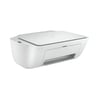
HP Deskjet 2700 Ink Cartridges
Save to My Printers
If you want to buy replacement inks for your UK bought HP Deskjet 2700 printer, it takes ink cartridges from the HP 305 range including a choice between standard HP 305 inks (2ml of ink) and HP
305XL high capacity inks (4ml of ink). The 305 XL cartridges are a great option, as the offer twice the ml volume of ink without being twice the price! Place your order today with
CartridgeMonkey.com and we'll send them on a free next-day delivery service for orders over £50.
Filter Products (10)

Compatible HP 305XL Black & Tri Colour Ink Multipack
Product Code: RE3YM62AE2PACK
1 x
Black
240 Pages
1 x
CMY
200 Pages
Printer Warranty Protected
Guaranteed to Work
In Stock - Delivered Monday
Order Within
27.43
Next-Day Delivery
HP 305XL Black & Tri Colour Ink Cartridge Multipack
Product Code: 3YM62AEPACK
1 x
Black
240 Pages
1 x
CMY
200 Pages
In Stock - Delivered Monday
Order Within
44.26
Next-Day Delivery
HP 305 Black & Tri Colour Ink Cartridge Multipack (B/C/M/Y)
Product Code: 6ZD17AE
1 x
CMY
100 Pages
1 x
Black
120 Pages
In Stock - Delivered Monday
Order Within
27.05
Next-Day Delivery
Compatible HP 305XL High Capacity Black Ink - 3 Pack
Product Code: RE3YM62AE2-3PACK
1 x
Black
240 Pages
1 x
Black
240 Pages
1 x
Black
240 Pages
Printer Warranty Protected
Guaranteed to Work
In Stock - Delivered Monday
Order Within
41.16
Next-Day Delivery
Compatible HP 305XL High Capacity Black Ink Cartridge
Product Code: RE3YM62AE2
1 x
Black
240 Pages
£
Cost per page 7.15p
Printer Warranty Protected
Guaranteed to Work
In Stock - Delivered Monday
Order Within
17.15
Next-Day Delivery
HP 305XL High Capacity Black Ink Cartridge
Product Code: 3YM62AE
1 x
Black
240 Pages
£
Cost per page 10.70p
In Stock - Delivered Monday
Order Within
25.67
Next-Day Delivery
In Stock - Delivered Monday
Order Within
15.82
Next-Day Delivery
Compatible HP 305XL Tri-Colour Ink Cartridge
Product Code: RE3YM63AE2
1 x
CMY
200 Pages
£
Cost per page 8.58p
Printer Warranty Protected
Guaranteed to Work
In Stock - Delivered Monday
Order Within
17.15
Next-Day Delivery
In Stock - Delivered Monday
Order Within
23.51
Next-Day Delivery
In Stock - Delivered Monday
Order Within
15.35
Next-Day Delivery
Ink Cartridges for the HP Deskjet 2700
If you're hunting the online jungle for new HP Deskjet 2700 ink, there's no better place to shop than cartridgeMonkey.com. Happy customers have been buying their replacement ink cartridges from
us since 2003, and not only do they receive great service (check out our reviews) but
they always enjoy our low cost options coupled with super fast, delivery service!
To keep your HP Deskjet 2700 series printer in tip-top shape, make sure you choose either original HP 305 inks or one of our great value, high quality compatible HP 305 inks. Both original HP and
compatible inks come with a guarantee, to make sure you have the best experience when using them.
How to check how much ink is left in my HP DeskJet 2700 printer
If you own a HP Deskjet 2700 series printer, then your printer model will be one of the following: HP Deskjet 2710, HP Deskjet 2710e, HP Deskjet 2720, HP Deskjet 2720e, HP Deskjet 2721, HP
Deskjet 2722, or the HP Deskjet 2724. Each model is relatively the same and there are 2 ways to check how much ink is left in the printer.
- Via the
- Via the HP smart App.
- From the PC the printer is connected to.
Check ink levels via the HP Smart print App:
This is the easiest method of checking ink levels. You will first need to install the HP smart app to a pc or mobile device (connected to the printer). Use the plus icon to add your printer
and once it has been added you will be able to select it and view the current ink levels.
Check ink levels via the print menu on a PC
From the start menu on a PC, find the HP program and click it. In the dialogue box, select the estimated levels tab.
If you find that your HP Deskjet 2700 inks are running low, order your replacement cartridges ahead of time and we'll get them to you quickly with our free shipping option on orders over £50.
Customer Questions (0)
Be the first to ask a question about this product.
Need Assistance? We'll be happy to help on 0345 365 6666