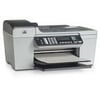
hi - just trying to add a new printer & delete an old one off my profile but unsure how to do this ?
05 July 2019
A
Hi there, if you click the my account link at the top of the page there is a 'my printers' section. In there you can hover the cursor over the printer image and a red cross appears. Click it to delete a printer. To add a new one use the wizard on the home page to navigate to the printer page and there is a 'save to my printers' link next to the printer image. If you need any more help, let us know!
Need Assistance? We'll be happy to help on 0345 365 6666
 Free Delivery On Orders Over £50
 Pay Peanuts For Ink & Toner
 Switch & Save With Compatibles
 Feefo Rated 4.9 (6.7k+ Ratings)